
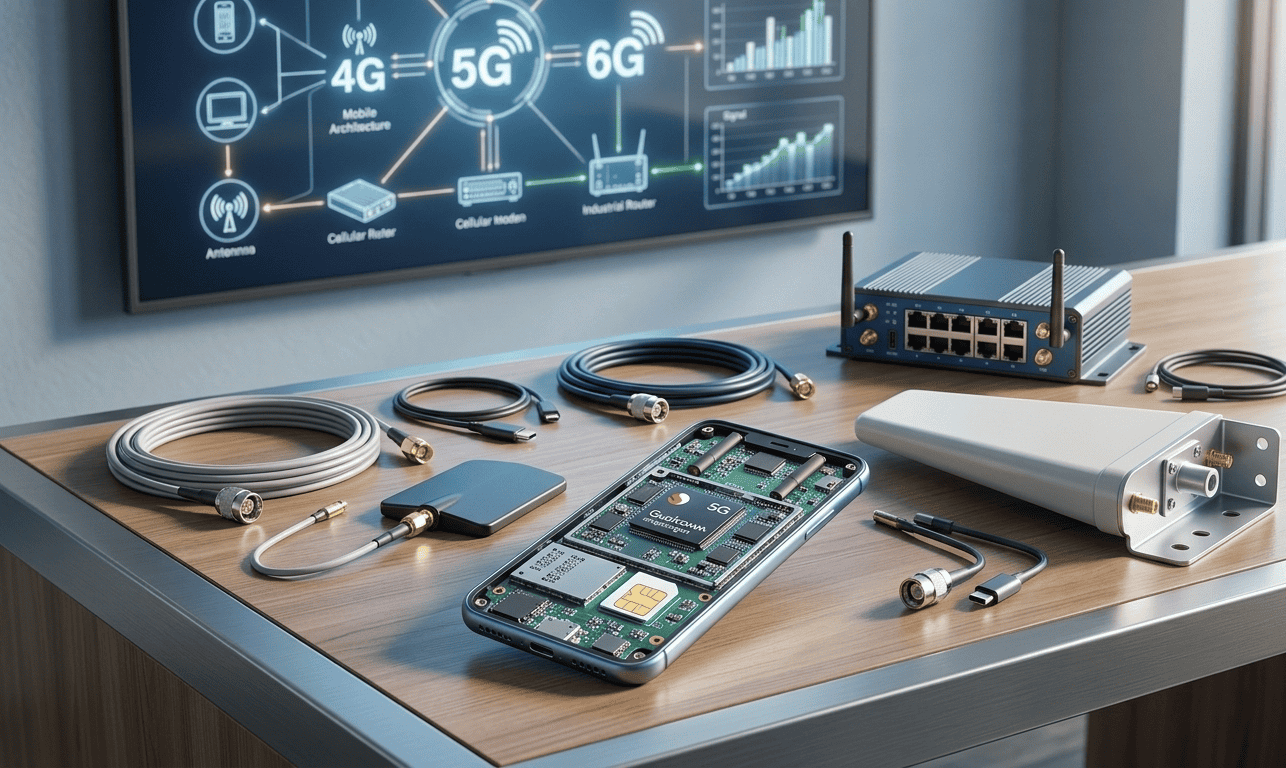
Mobile network connections rely on a mix of hardware choices that shape speed, reliability, and deployment flexibility. Whether you are building a remote monitoring system, a mobile hotspot fleet, or a proxy service, knowing the hardware used for mobile connections helps you pick devices that match performance needs and budget constraints.
This article looks at the main components that make mobile links work, practical tips for selecting parts, and real world examples of setups for different tasks. I will cover modems, routers, antennas, SIM management, power and mounting hardware, plus suggestions for common use cases.
Common hardware components for mobile connections and what they do
At a basic level a mobile connection needs a modem, a way to route traffic, a power source, and an antenna. Each piece has variants that change the user experience and technical behavior. For example a single USB dongle can bring a quick connection to a laptop while an industrial cellular gateway can handle multiple wired devices and offer advanced management functions.
Other supporting parts include SIMs, cabling, mounting gear, and sometimes cooling or enclosures for harsh locations. Choosing the right mix reduces downtime and keeps operating costs predictable.
Cellular modems and USB dongles
Cellular modems perform the radio side of the job. They translate the modem network signals into data streams a device can use. You will find several form factors such as USB dongles that plug into a laptop or router, PCIe cards for embedded systems, and M.2 modules for compact single board computers.
Embedded modems versus external dongles
Embedded modules give a lower profile and are common in custom hardware designs. External dongles are convenient for quick testing and for adding a cellular link to equipment that lacks a built in modem. Dongles are handy for field technicians because they can swap them between machines.
Specialized Android based modems and compatibility notes
Some providers and resellers use Android powered devices as modems. Those units often run consumer firmware but are repurposed to act as single purpose modems for multiple connections. If you need that functionality search for devices that expose stable tethering modes, and check carrier compatibility and frequency band support. For some commercial services it is common to rely on mobile hardware that behaves like a phone while offering persistent connections and multiple concurrent sessions often using some Android-based modems.
Mobile routers and cellular gateways
Mobile routers combine a modem, NAT firewall, DHCP server, and often Ethernet ports and Wi Fi. They are the go to option when you need to connect several devices to the same mobile link. Gateways aimed at industrial use include features such as watchdogs that restart the modem on a dead session, VLAN tagging, and remote management via cloud platforms.
When picking a router check for carrier aggregation support. Aggregation can deliver higher combined throughput by using multiple bands. Another item to consider is the number of concurrent sessions a router can handle. Consumer grade models may struggle with dozens of sockets active at the same time while industrial units are designed for heavy connection counts.
Antennas and signal planning
Antenna choice impacts link quality more than most users expect. Internal antennas in consumer routers work well in areas with strong coverage. For fringe locations a directional external antenna placed on a roof can produce a much more stable link and better upload performance.
- Omnidirectional antennas are good for mobile use and sites with multiple towers nearby.
- Directional antennas help when only one tower provides usable service and you can point the antenna towards it.
- Consider cable loss when using external antennas. Longer coax runs reduce signal, so pick low loss cable for runs over several meters.
Also check connector types. Many devices use SMA or RP SMA connectors while some industrial units use N type connectors. Adapter cables exist but add loss and potential failure points.
SIM management hardware and multi SIM strategies
Managing SIMs efficiently is crucial for deployments that require failover, load distribution, or geographic IP diversity. Basic scenarios use a single SIM per modem. More advanced setups use SIM banks, SIM routers, or remote SIM provisioning solutions.
SIM banks versus SIM routers
SIM banks centralize many SIMs in a single cabinet and connect to modems or gateways via controlled SIM switches. This lets operators change the active SIM on a remote modem without physical SIM swaps. SIM routers, on the other hand, integrate multiple SIM slots within a router chassis allowing the device to switch between SIMs automatically when a problem is detected.
Both approaches reduce manual intervention and help maintain uptime during carrier outages or when load balancing across multiple carriers. When using SIM switching keep track of carrier policies and APN settings since some carriers restrict tethering or require specific configuration.
Power solutions and mounting hardware for field deployments
Power planning is as important as the radio. Small indoor units can run off USB power but field installations typically need 12 volt supplies, battery backup, or solar solutions. Use power supplies that match the device specifications to avoid overheating and instability.
For outdoor use select enclosures rated for water and dust protection. Ventilation matters. Devices that run full time benefit from gentle airflow. Heat traps shorten component life. Mounting brackets that isolate vibration help in vehicles or on towers.
- For temporary sites a UPS with a managed shutdown feature protects against abrupt outages.
- Solar arrays should be sized for worst case cloudy days and sized to match battery charge controllers used with the modem and router.
- When installing on vehicles choose hardware with extended temperature ratings and shock tolerant connectors.
Security and maintenance hardware considerations
Hardware choices affect the security posture of a mobile connection. Prefer routers that receive firmware updates on a regular schedule and that offer log shipping to remote collectors. Physical security includes lockable enclosures and tamper evident screws for publicly accessible installations.
For networks that carry sensitive traffic consider hardware that supports hardware backed cryptographic modules. Those modules store keys separately from the main operating system and reduce certain attack vectors.
Selecting hardware for common use cases with practical tips
Match hardware selection to use case rather than picking the most feature rich device. Here are practical pairings that illustrate trade offs.
- Small office or pop up retail stand
- Use a consumer mobile router with dual SIM slots and external antenna ports for flexibility.
- Benefits include quick setup and reasonable price while keeping options for failover.
- Vehicle telemetry or fleet connectivity
- Choose industrial grade routers with GPS, wide temperature range, and vibration resistant mounts.
- Pair with a stable power conditioning circuit and a low profile roof antenna.
- Distributed proxy services or rotating IP pools
- Look for modems and gateways that allow remote SIM management and session persistence.
- Some operators prefer devices that can run in tethered mode with a phone form factor or use compact embedded modules for space saving.
- Remote sensors and IoT nodes
- Low power M.2 or NB IoT modules help extend battery life while providing adequate data rates.
- Select modules certified for the intended market and check the carrier support for your required bands.
Purchasing tips and lifecycle planning
Buy a few devices and run pilot tests under real network conditions. Pay attention to firmware revision histories, and whether the vendor provides a reliable update path. Hardware that performs well in lab tests can behave differently when multiple sessions are open or when carriers throttle certain traffic types.
Plan for a hardware refresh cycle. Cellular standards evolve and carriers reallocate spectrum. Devices that lack newer band support may work today and struggle in a year.
Common troubleshooting tips for hardware linked problems
Hardware faults often mimic network issues. Start with simple checks and work toward complex ones. Here are practical steps that identify many common faults quickly.
- Check signal strength and switch to an external antenna to rule out poor reception.
- Swap SIMs and test with a known good device to determine if the SIM or the modem is at fault.
- Observe logs for modem registration errors then compare with carrier documentation for error codes.
- Update firmware if a known issue matches symptoms but keep a recovery plan in case the update fails.
For persistent problems collect a baseline of device metrics such as reconnect counts and latency over time. That information helps providers reproduce issues and recommend fixes.
The hardware used for mobile connections covers a broad range of components. Selecting parts that are aligned with the intended use case reduces downtime and keeps cost predictable. If you are planning a rollout take time to test modems, routers, antennas, and SIM handling in the exact environment they will operate in. Pilot deployments reveal frequency mismatch issues, power quirks, and firmware limits before they affect production operations.
Ready to pick hardware for your next mobile project Start by listing your requirements such as throughput, number of clients, environmental constraints, and desired management features. Then test representative devices under real world conditions. If you would like help selecting models or designing a deployment I can suggest a checklist and a short evaluation plan to speed the process. Reach out with your use case and constraints and we can shape a practical equipment list together.